
News
Kiosk customers now pay on their phone
September 5, 2026
Three days ago we put every Picsha storefront on the kiosk in your store. The one thing that kiosk couldn't do yet was take the money. As of today it does — without a payment terminal.
When a kiosk order is ready to pay, the screen shows a QR code. The customer points their phone's camera at it, taps the link, and pays in the same secure Stripe checkout our online storefronts use — with Apple Pay, Google Pay, or a card. The kiosk notices the moment the payment lands and moves on to the pickup instructions. The customer's phone gets a "Payment complete" page telling them to look back at the kiosk.
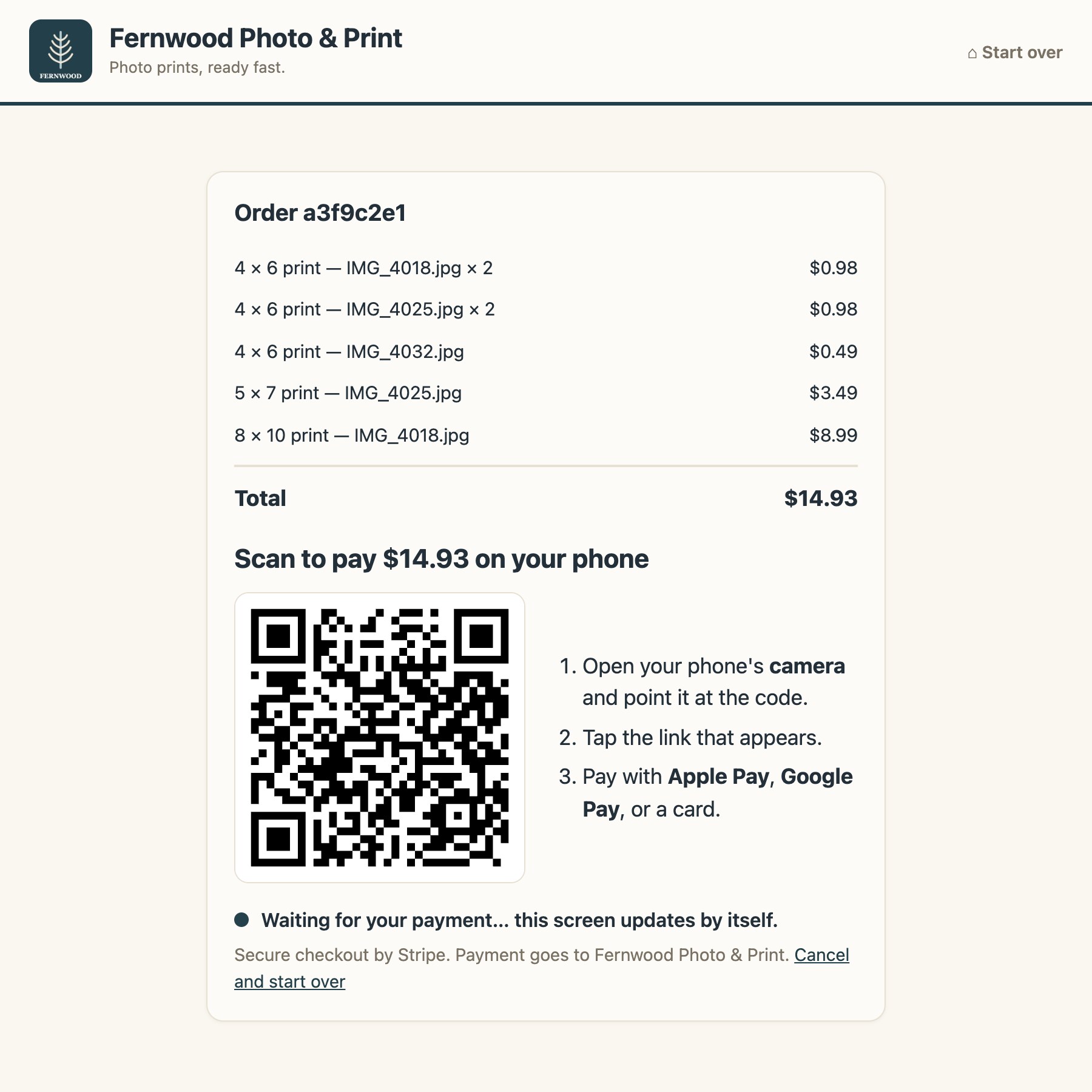
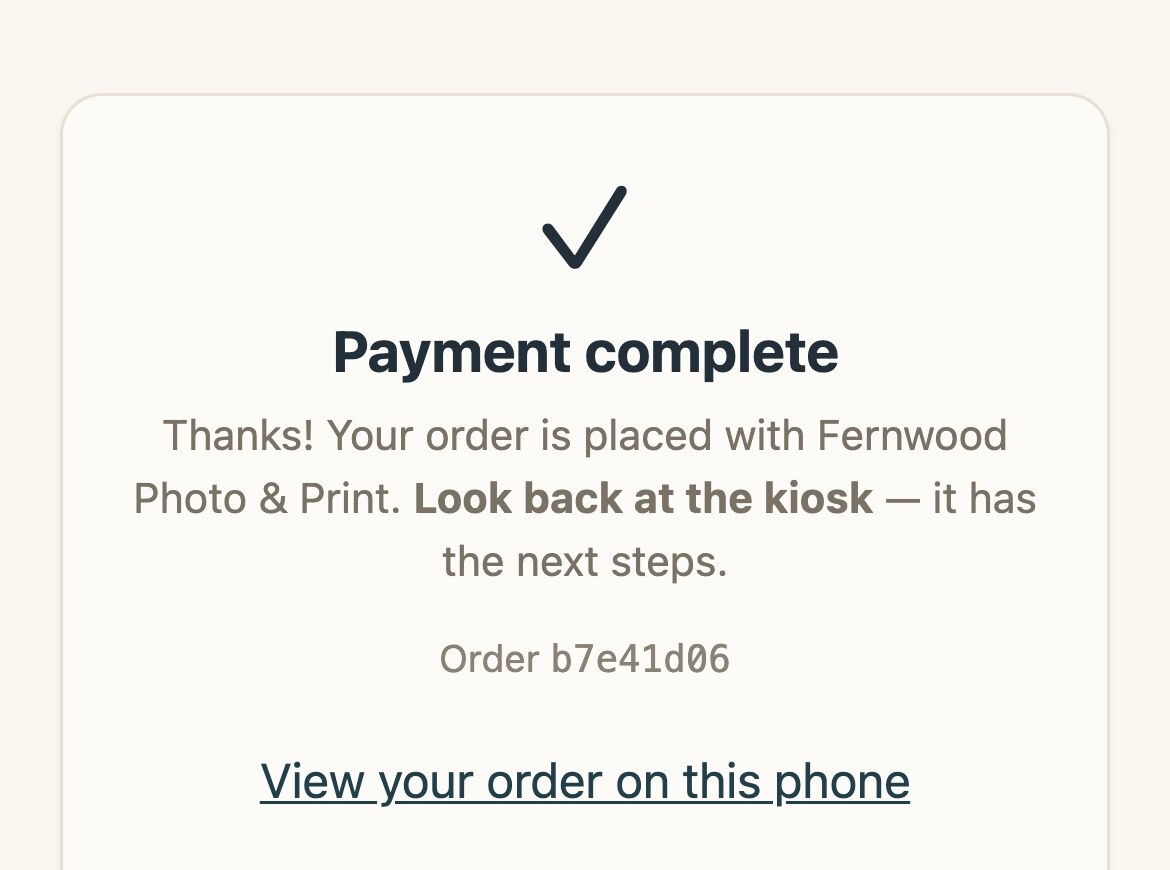
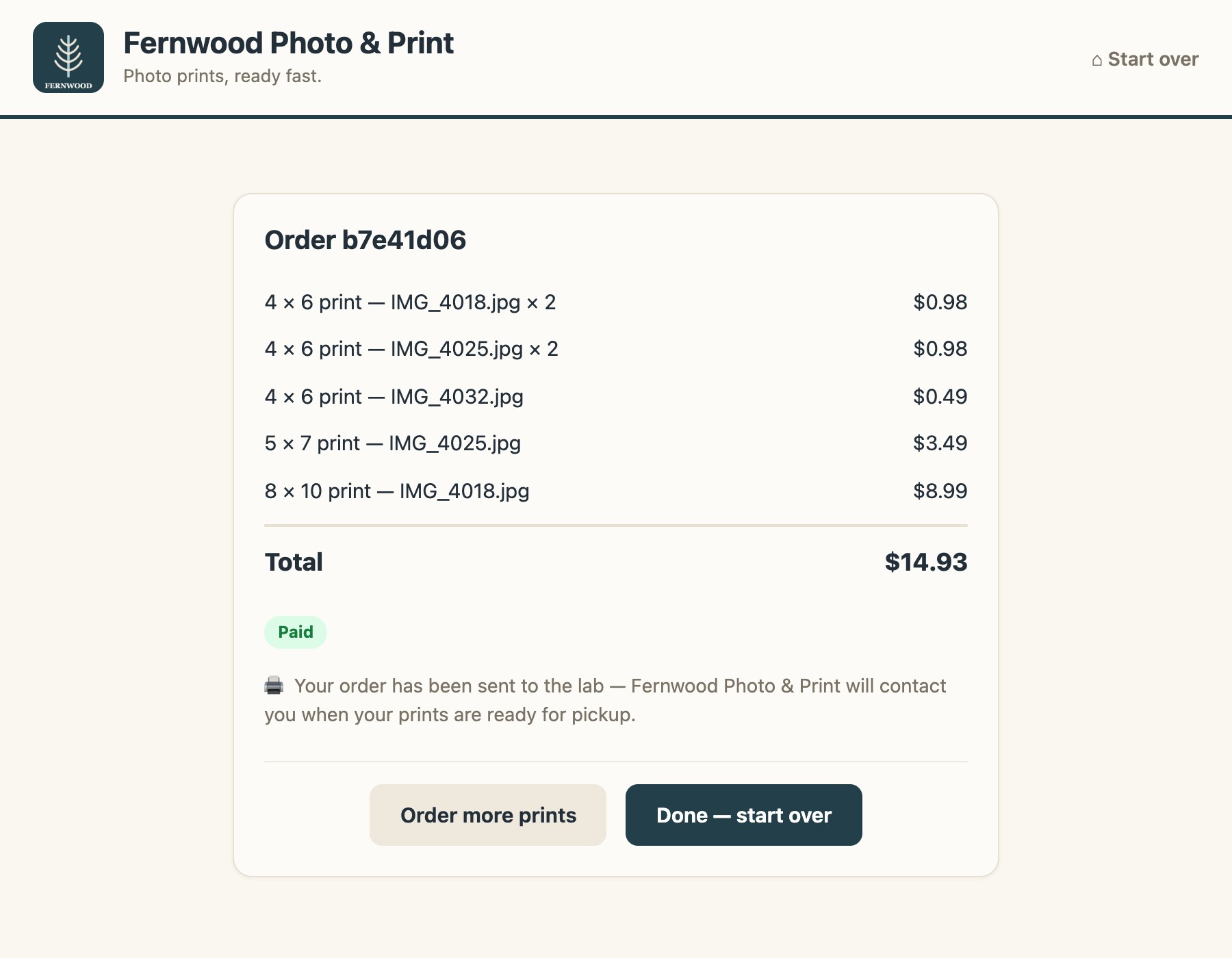
Why phones instead of a payment terminal on the kiosk:
- Nothing to certify. The kiosk never sees a card number. Payment happens on the customer's phone, on Stripe's pages, so there's no PIN pad to buy, mount, or keep PCI-compliant.
- It's the checkout people already trust. Apple Pay and Google Pay are one tap. A card is the same Stripe form they've used everywhere else.
- Same money flow as online. Payouts land in your Stripe account exactly as web orders do, and the order lands in your lab the same way.
- Abandoned screens clean up. A QR code left on a walked-away kiosk expires, and the kiosk resets itself back to the start.
Pay by phone is live now in kiosk mode on Picsha Prints, Picsha Retouch, Picsha Books, and Picsha Cards. A payment terminal at the kiosk stays on the roadmap for stores that want one — but you don't need it to start.
Want a kiosk on your counter? Get in touch and we'll walk through the setup with you.