
A Graphx product

Customers bring photos. The book designs itself.
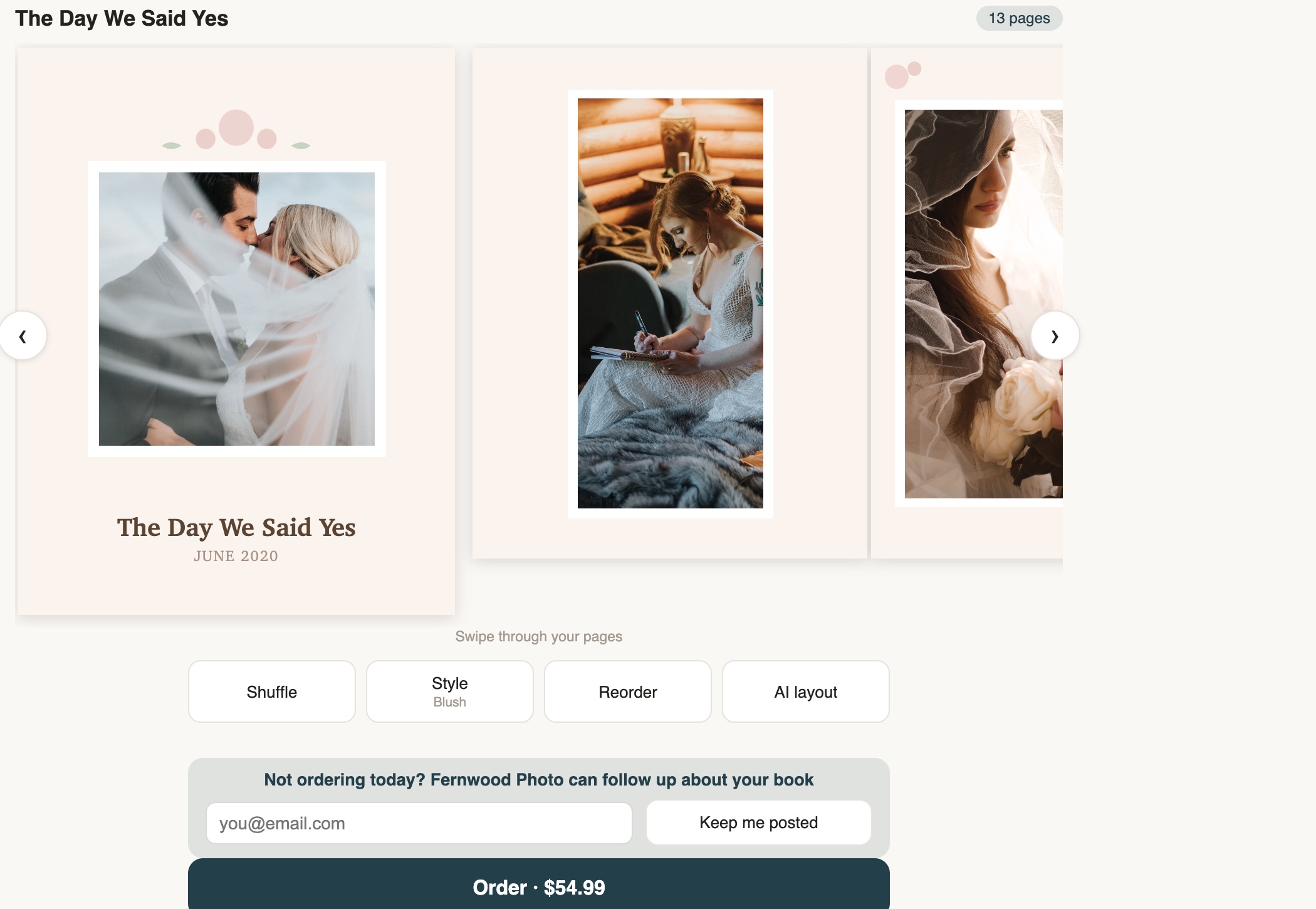
Picsha Books is a white-label AI photo-book storefront for photo retailers. A customer uploads their camera roll; the Picsha brain reads every photo, keeps the best ones, and hands back a finished, print-ready book to approve — laid out, titled, and captioned — in about a minute. Under your brand, at your prices, professionally printed and bound — in your lab, or in ours. Free to sign up. Powered by Picsha AI.
Get your storefront Try the live demo →
Watch a book design itself, in 30 seconds.
What the brain does that a book editor can’t
The industry’s own number: 70% of photo-book projects are abandoned — a blank page, 200 photos, and an evening of dragging thumbnails. Picsha asks the customer for two things: photos and a size. The brain makes the other two hundred decisions in about a minute — the title included. Finished books get ordered; abandoned drafts don’t.
Reads every photo
Sharpness, exposure, faces, subjects, and places — every photo scored before any page is laid out.
Culls like a pro
Blurry frames, near-duplicates, and weak shots are set aside, each with a reason — and the customer can review the designer’s picks.
Recognizes the occasion
“Looks like a wedding” — and designs for it: 11 design collections matched to the event, 18 print-safe layouts.
Tells the story in order
Chapters flow getting-ready to ceremony to reception, even when timestamps are missing or wrong.
Titles the cover
A real title and date range — not “My Photo Book.” The customer never has to think one up, and can change it with a click.
Writes smart captions New
Each chapter opens with a written line, and select photos carry a short caption about the moment — when it was, where you were, what was happening — written by the AI from the photos themselves. Something no template site can print.
Prints perfectly
A 300-dpi PDF with bleed and trim baked in, straight to your equipment.
How it works for your customer
1. Upload — that’s the hard part done
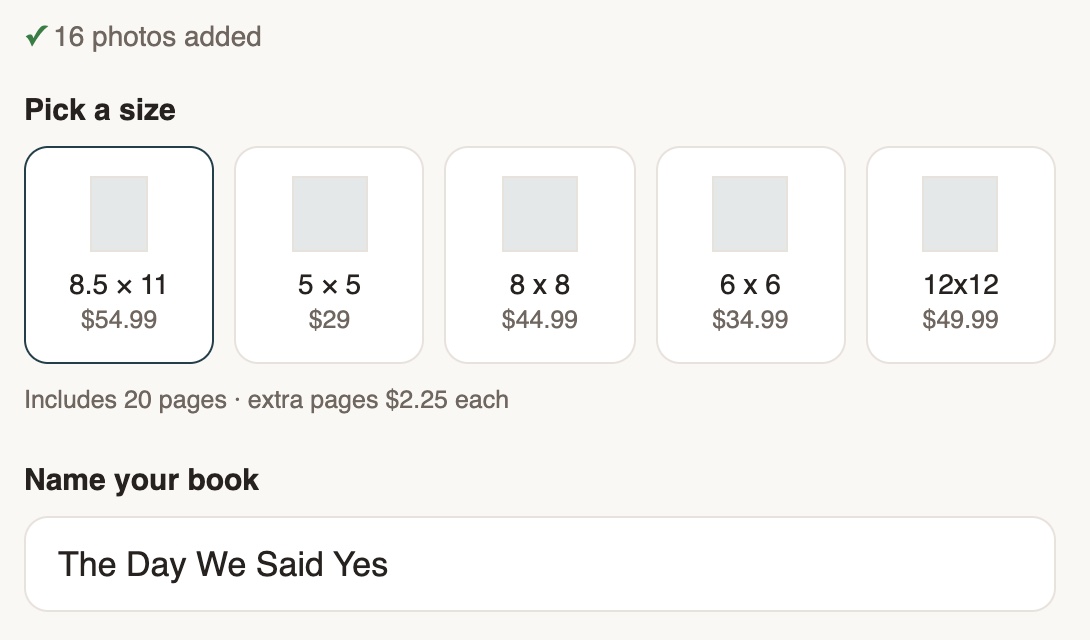
Photos and a size — that’s the whole list. 30 to 120 photos straight off a phone’s camera roll works best. No title to think up, no accounts to create.
2. The brain designs the whole book
In about a minute the customer is looking at a finished book — cover, chapters, layouts — not a blank editor.
3. Fine-tune, then order
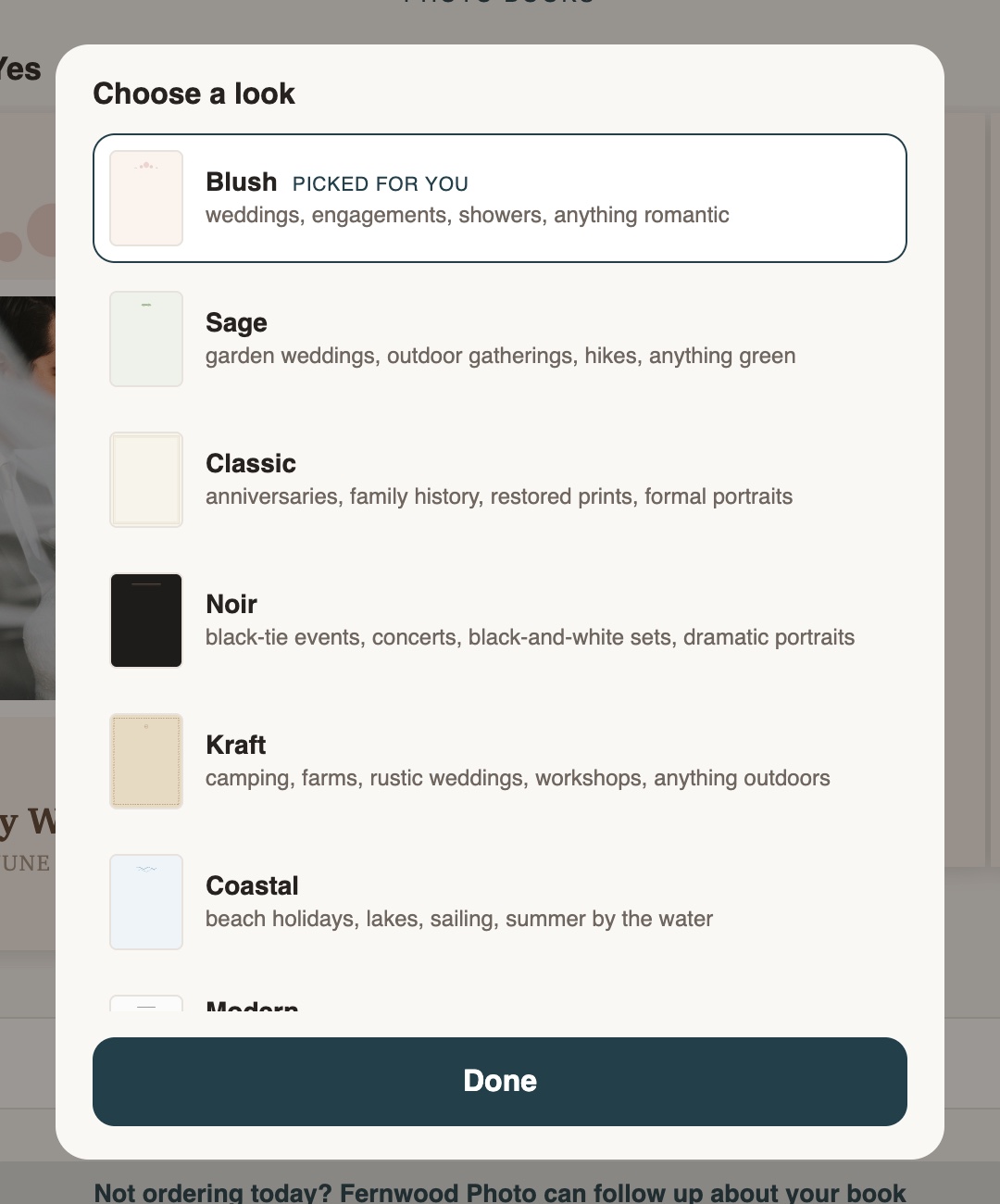
Shuffle, switch design collections, reorder pages, reword the title or a caption, or let the AI re-layout — then order. Every order is professionally printed and bound.
How it works for your store
Your brand, to the pixel
Your own address — yourstore.books.picsha.com — with your logo, your colors, your book sizes, and your prices. Put the QR code on your counter, run it on an iPad, or put it on the kiosk in your store.
Professionally printed, your way
Print in your own lab from a print-ready 300-dpi PDF sized to your equipment, or have us send orders to a professional photo-book lab that ships them white-label to your counter or your customer. Either way the book — and the customer — stays with your store, not a mail-order site.
Straight into Photogize Lab New
Run Photogize Lab? Connect your account and every paid book drops into your Lab’s harvest queue — the cover and every page as an exact-size 300-dpi JPEG, named Cover, Page 1, Page 2 in reading order, on the Lab product you choose for each book size. No PDFs to split, no re-keying.
Order status and tracking New
Move each book from Received to In production, Ready for pickup, or Shipped with one dropdown, and paste the tracking number for USPS, UPS, FedEx, or DHL. Lab-printed books move on their own, with the lab’s tracking number when it ships. Your customer sees a timeline on their order page and gets an email in your store’s name when their book is ready or on the way.
Zero ops, paid automatically
We set up your branded store in minutes. Connect Stripe and every sale is deposited directly to your bank — no software to install, nothing to maintain.
Private by design
Customer photos auto-delete after 14 days, and no customer accounts are required — nothing for you to manage, nothing for customers to sign up for.
Runs on the kiosk in your store New
Every Picsha storefront has a kiosk mode. Open yourstore.books.picsha.com/?kiosk=1 on any touchscreen PC and it becomes an in-store photo kiosk — full screen, locked down, and ready for the walk-in customer with a memory card in hand. A whole card of vacation photos becomes a designed book while the customer waits — the kiosk holds its reset while the brain works.
Reads their card or USB stick
Customers insert a memory card or thumb drive and tap Browse my photos: their pictures appear in a big touch-friendly picker, select-all included. Staff grant the card reader once at setup; customers never see a file dialog.
A keyboard on the screen
No physical keyboard required. A touch keyboard slides up for names, emails, and phone numbers — with the @ and .com keys where they belong — so keyboardless counters work fine.
Customers pay on their phone New
No payment terminal on the kiosk. When the order is ready, the kiosk shows a QR code; the customer points their phone’s camera at it and pays right there with Apple Pay, Google Pay, or a card — the same secure Stripe checkout as online, paid straight into your account. The kiosk sees the payment land and moves on to the next steps by itself. See it in action.
Resets between customers
Walk away, and the kiosk warns, then clears itself back to the start — photos, names, and half-typed emails gone before the next customer steps up. Browser autofill is off, so nobody is offered the previous customer’s details.
Your existing kiosk hardware
Already running a Photogize kiosk? The same Windows PC, touchscreen, and card readers work as-is — Edge in kiosk mode replaces the old shell. We provide the lockdown policies and setup guide.
One kiosk, every product: Picsha Hub gives the kiosk a home screen with one tile per Picsha storefront you carry, and every product returns to it between customers. And SendThePix is built in: customers send photos from their phone and type a six-character code at the counter.
Free to set up. We only earn when you sell.
No monthly fee, no contract, no upfront cost.
You set every price
A base price for each book size with 20 pages included, plus your per-page price for extra pages — all set by you, for your market.
We take a share of sales
Graphx earns a percentage of each sale — that’s the whole business model. No sales, no cost. See the rate grid →
Your money never touches us
Stripe pays you directly into your own bank account. And if you stop using it, stopping costs nothing.
Be a launch retailer.
Picsha Books is live. It’s free to sign up — tell us about your store and how you’d like books printed, and we’ll set up your branded storefront with you. Want to see it as your customers would first? Watch a book design itself at Fernwood Photo, our demo store.