
A Graphx product New

One address for everything Picsha in your store.
Picsha Hub is the front door to your Picsha storefronts. One branded page at yourstore.picsha.com that shows the services you actually carry — restoration, prints, books, cards, posters — and sends customers straight into them. One admin view of orders across all of them. And on the kiosk in your store, the home screen every product returns to. Included with every Picsha storefront, nothing to set up.
Get in touch See the demo store →
For your customers: one page, only what you offer
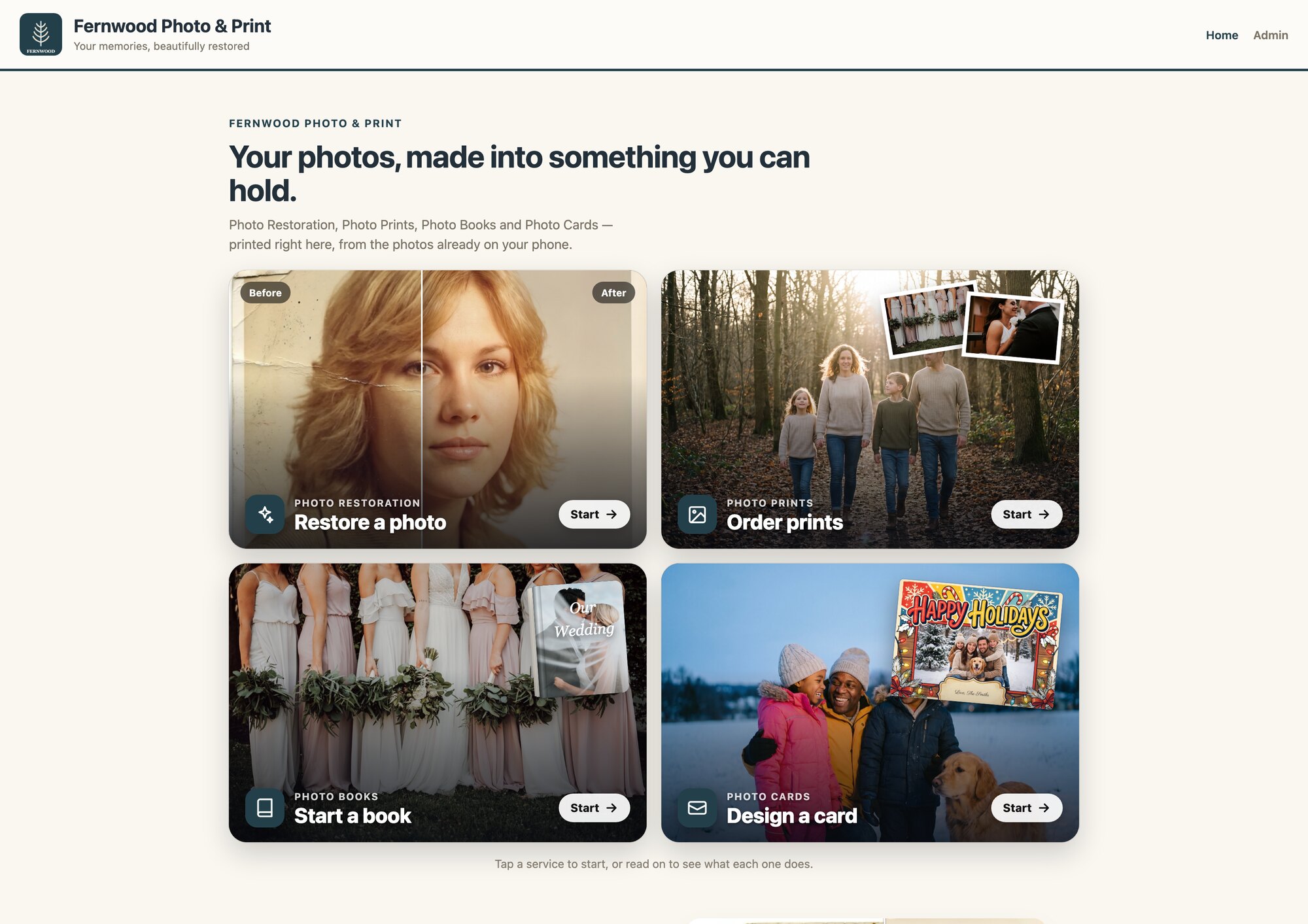
Each Picsha storefront has always had its own address. The hub puts them behind one door, so you have a single link for your website, your counter card, and your window poster — and it stays right as your line-up changes.
Only the services you carry
The hub reads which Picsha storefronts your store has and shows exactly those. Add Posters next season and it appears on its own. No menus to edit.
Your brand, to the pixel
Your logo, colors, and tagline, taken from your storefronts. The customer sees one store, not five products.
Shows, not tells
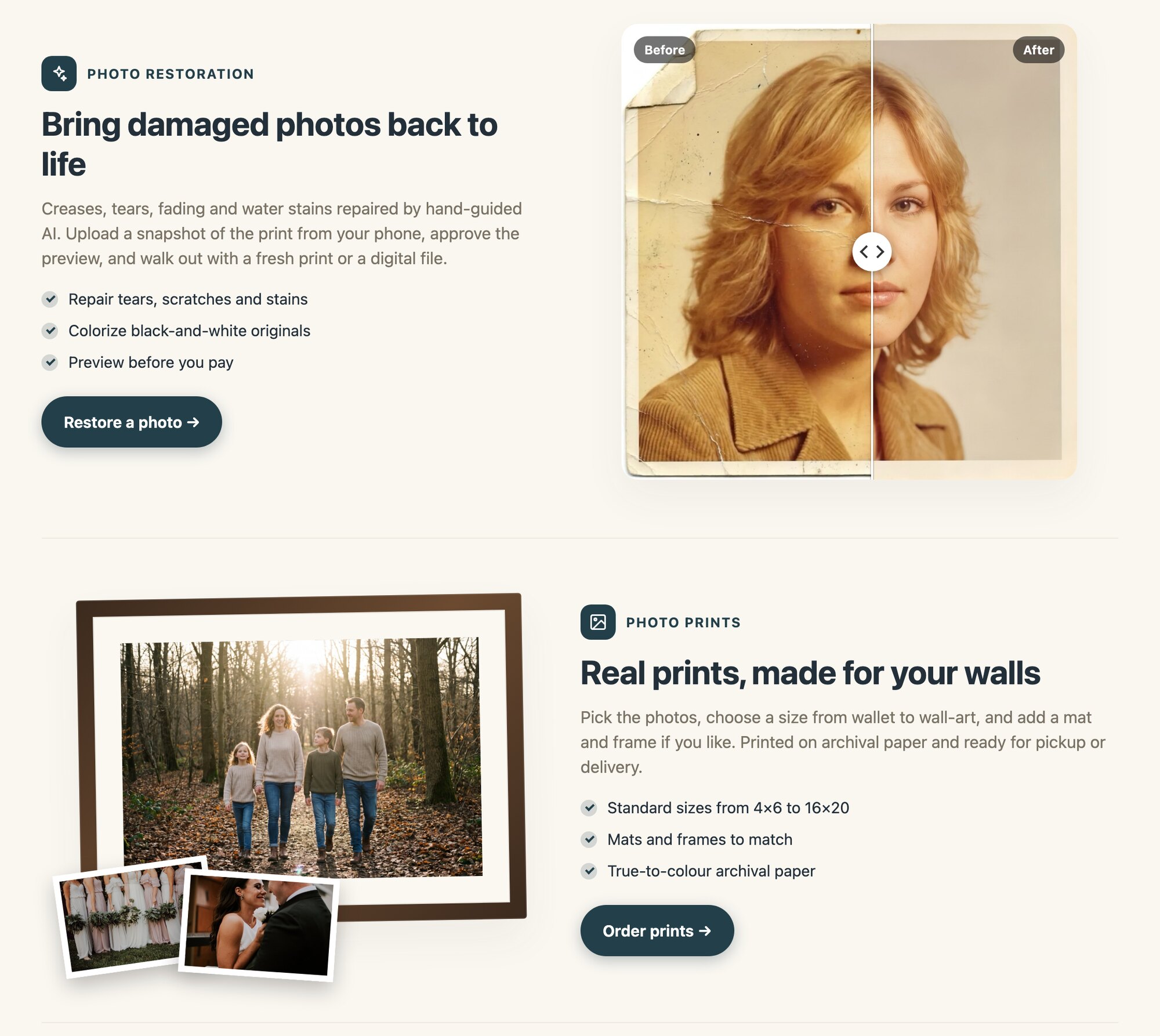
Each service is presented with a before-and-after slider, a framed print, a finished book, a card on its envelope, a photo turned poster — built from that product's own imagery, so customers see what they'll get.
Straight into the storefront
Every tile and button links into the storefront itself. Nothing about how a customer restores a photo or orders prints changes; the hub just gets them there.
For your store: one view of every order
Orders across every product
Sign in at yourstore.picsha.com/admin and see recent orders from Retouch, Prints, Books, Cards, and Posters in one list, newest first, each tagged with its product and payment status.
The sign-in you already have
Same email-code sign-in as your storefronts, no new password. Anyone who administers any of your Picsha stores can open the hub admin.
Nothing moves
Settings, prices, and fulfillment stay in each storefront's own admin, one click away. The hub reads your stores; it never changes them.
Catches branding drift
New logo in Prints but not in Retouch? The hub puts your storefronts side by side, notices, and tells you which one to fix.
The kiosk's home screen New
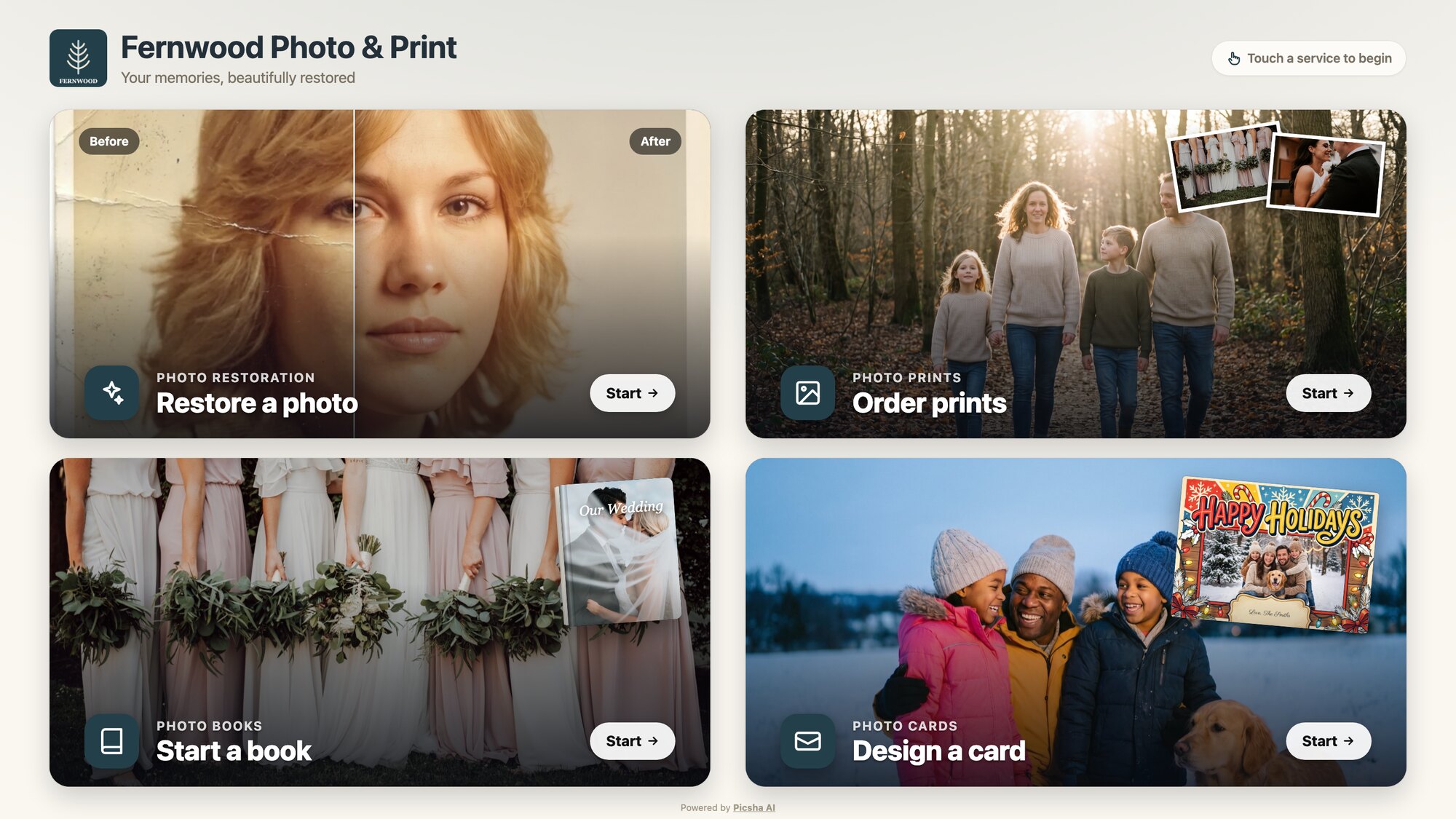
Every Picsha storefront runs in kiosk mode on the touchscreen PC in your store. Picsha Hub is what that kiosk shows between customers: open yourstore.picsha.com/?kiosk=1 and you get one full-screen menu, one big photo tile per service you carry. So a single kiosk can offer every Picsha product in your store, not just one.
Touch a service to begin
Fills the screen at any kiosk resolution, no scrolling. The customer taps a tile and lands in that storefront already in kiosk mode, card reader and touch keyboard ready.
Every product comes back here
When a customer finishes, or a kiosk resets after being left alone, every storefront returns to the hub's menu. The next customer always starts at the same screen.
Pay by phone included
Each storefront's kiosk mode takes payment with a QR code the customer scans and pays on their own phone. See how it works.
Your existing kiosk hardware
Already running a Photogize kiosk? The same Windows PC, touchscreen, and card readers work as-is. We provide the lockdown policies and setup guide.
Included with every storefront.
There is no separate sign-up, price, or setup for Picsha Hub. If your store has a Picsha storefront, your hub is already live at yourstore.picsha.com.
No extra fee
The hub is part of the platform. Graphx earns a percentage of each storefront sale, and that's the whole business model. See the rate grid →
Nothing to configure
The hub takes its brand and its list of services from your storefronts. Set up a storefront and the hub follows.
Grows with your line-up
Start with Retouch, add Prints and Posters later: one address the whole time, with the page and the kiosk menu updating themselves.
Your own web address, if you want one New
The hub is free at yourstore.picsha.com. Putting your whole shop on an address you own, such as photos.yourstore.com, with Picsha branding removed, is an optional add-on at $49 a month. One address covers the hub and every storefront. See how it works →
Start with a storefront. The hub comes with it.
Pick the Picsha storefront that fits your lab — Retouch, Prints, Books, Cards, or Posters — and sign up from its page. Your hub is live the day your first storefront is. Want to see it as a customer would? Try Fernwood Photo & Print, our demo store.
Talk to us about your store