
News
Picsha Cards: a new holiday collection, and your own designs on the shelf
October 7, 2026
The holiday season is when a photo-card storefront earns its keep, so Picsha Cards goes into it with a new collection and two new controls for the store.
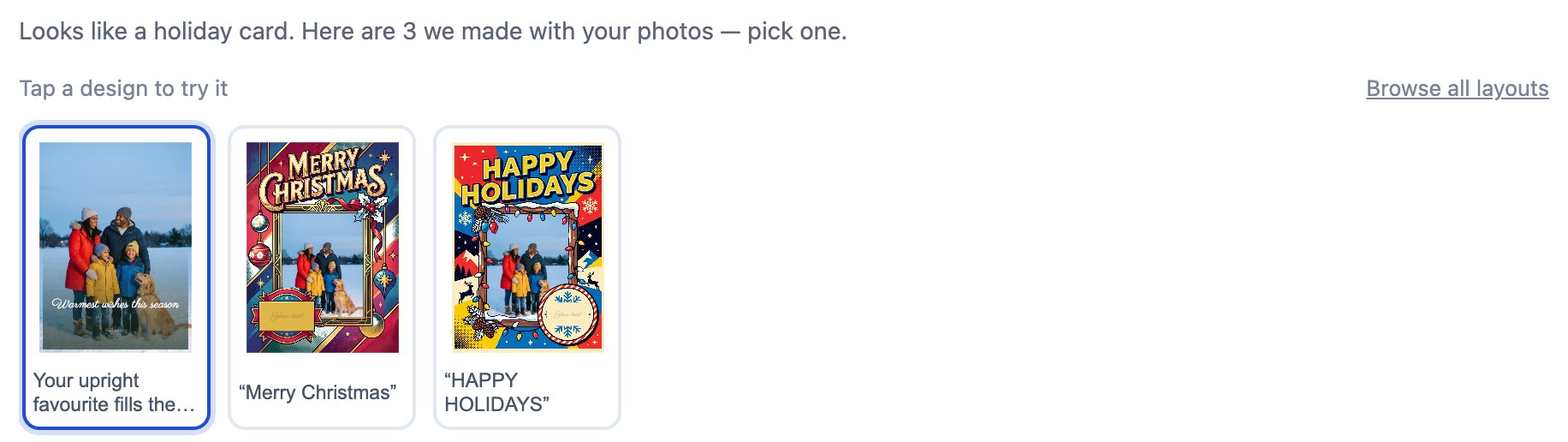
A hand-picked holiday collection. Thirty-one new designs, in portrait and landscape: wreaths, snowflakes, starry skies, kraft paper, watercolor doves, one photo or six. The customer still starts with their photos, and the brain still hands back the designs that suit them, but what it chooses from now looks like a card shop's shelf.
You choose what's on the shelf. A new Card designs page in your admin lists every design your card sizes can use, each with an Offer tick. Filter by occasion and shape, offer or withdraw a whole set at once, and decide whether new designs from Graphx arrive on your storefront automatically or wait for you to choose them.
Sell your own designs. Upload your studio's own cards: a design from Photoshop, a local artist's work, or one made with an AI image tool. The photo windows and the space for the customer's message are found for you, and you check each one with sample photos before it goes on sale. Your designs sell in your store only. The design kit and spec are free to download.
Browse before the photos. Customers who want to see the cards first get a Browse designs page with every design you offer, shown with sample photos. They pick one, add their pictures, and it is filled in for them.
Everything is live on every Picsha Cards store today. The new designs are offered automatically unless you have switched that off.