
News
Picsha Lab: check it, fix it, print it
November 16, 2026
Since 1998, Photogize Lab has been the screen where an order becomes a print. Picsha Lab, live today, is what comes next: the same job, rebuilt for the Picsha App stack, in a browser on any Mac or PC.
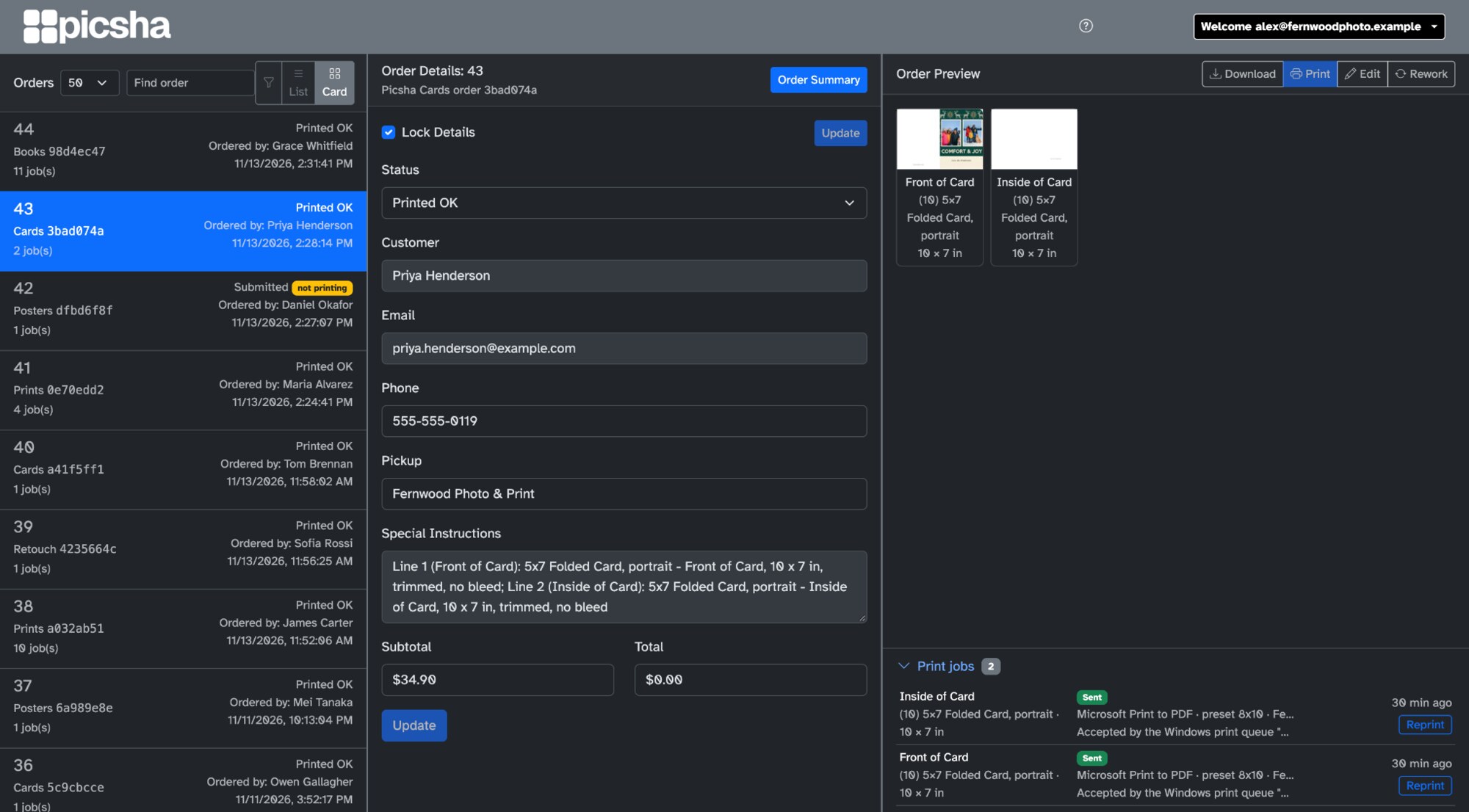
Every paid order from Prints, Retouch, Posters, Cards, Books and Gifts lands in one queue, whether it was placed online or at your kiosk. From there:
- Preflight, in place. Select a print and press Edit: crop, filter, fine-tune, frame. Orders from Picsha Prints open on the customer's original photo with their own edits applied, so you can change any of them. Reopen the job later and your edits are still adjustable.
- Photogize Rework. A mug or a photo book can only be changed by the editor that made it. Rework opens that editor from the Lab with the customer's design loaded, for gifts, cards, calendars, posters, restored photos and books. Save, and the file is replaced on the same order, at the same price.
- Prints to what you own. Picsha PrintServer, a small Windows tray program, sends jobs to any Windows printer at the printer's own resolution, and writes hot-folder orders for Noritsu, Agfa d-lab and Fuji Frontier minilabs. One preset per paper, a route per product, and automatic printing when you want it.
- Never twice by accident. A job interrupted mid-send is flagged for a person to check. Nothing reprints by itself.
Picsha Lab is part of the Picsha App stack. It is free, with Picsha PrintServer, on as many workstations as you like.
Every Picsha App runs online and on a kiosk, so Picsha Lab with the Picsha Apps can completely replace Photogize Lab, PhotoCentral and Photogize Kiosk. Move when you're ready; Photogize Lab stays fully supported in the meantime.
See Picsha Lab, read the guide, or ask us to turn it on for your store.